Video Showcase
This video showcases Scene Scout and its features, it also covers how it works and how to install it.
Though most up-to-date information is found here on the site or on Github.

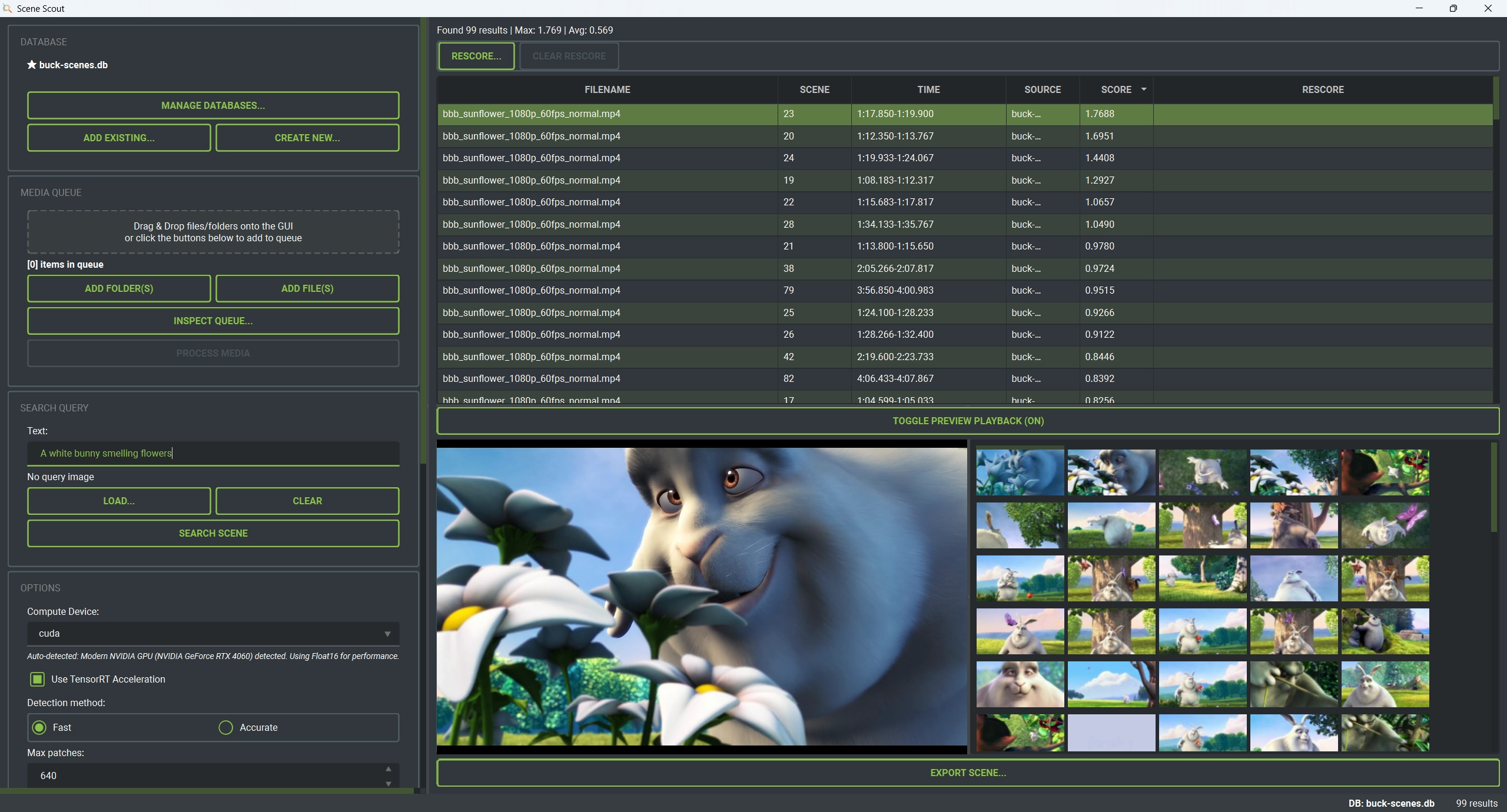
Search through your local video collection using natural language queries or image similarity, powered by Google's SigLIP 2 model.





This video showcases Scene Scout and its features, it also covers how it works and how to install it.
Though most up-to-date information is found here on the site or on Github.
Various functions to find the scenes you are looking for...
Find video scenes using text descriptions. Simply type what you are looking for and get results.
Use a reference image to find similar scenes in your video collection with visual similarity matching.
Search through multiple databases at once. Also queue up different files and folders to process.
Watch scenes play out directly in the GUI. And export a selected scene to a seperate video file.
Works on Windows, Linux, and Mac with automated install scripts for easy setup.
Supports CUDA, TensorRT, DML, Intel Arc/Xe, AMD ROCm, and Apple MPS for fast processing.
Local efficient embedding storage with scene data and thumbnails. There is functionality to store the database in a file together with video files as well (shareable between devices and users).
Interact with Scene Scout through the terminal. Run searches, index media, and export results as JSON. Includes an interactive REPL with tab completion, command history, and scripting support for automation.
After the initial download of the model and dependencies, Scene Scout runs completely offline on your own system. No internet connection required for searching or indexing.
A few example screenshots of the tool in action
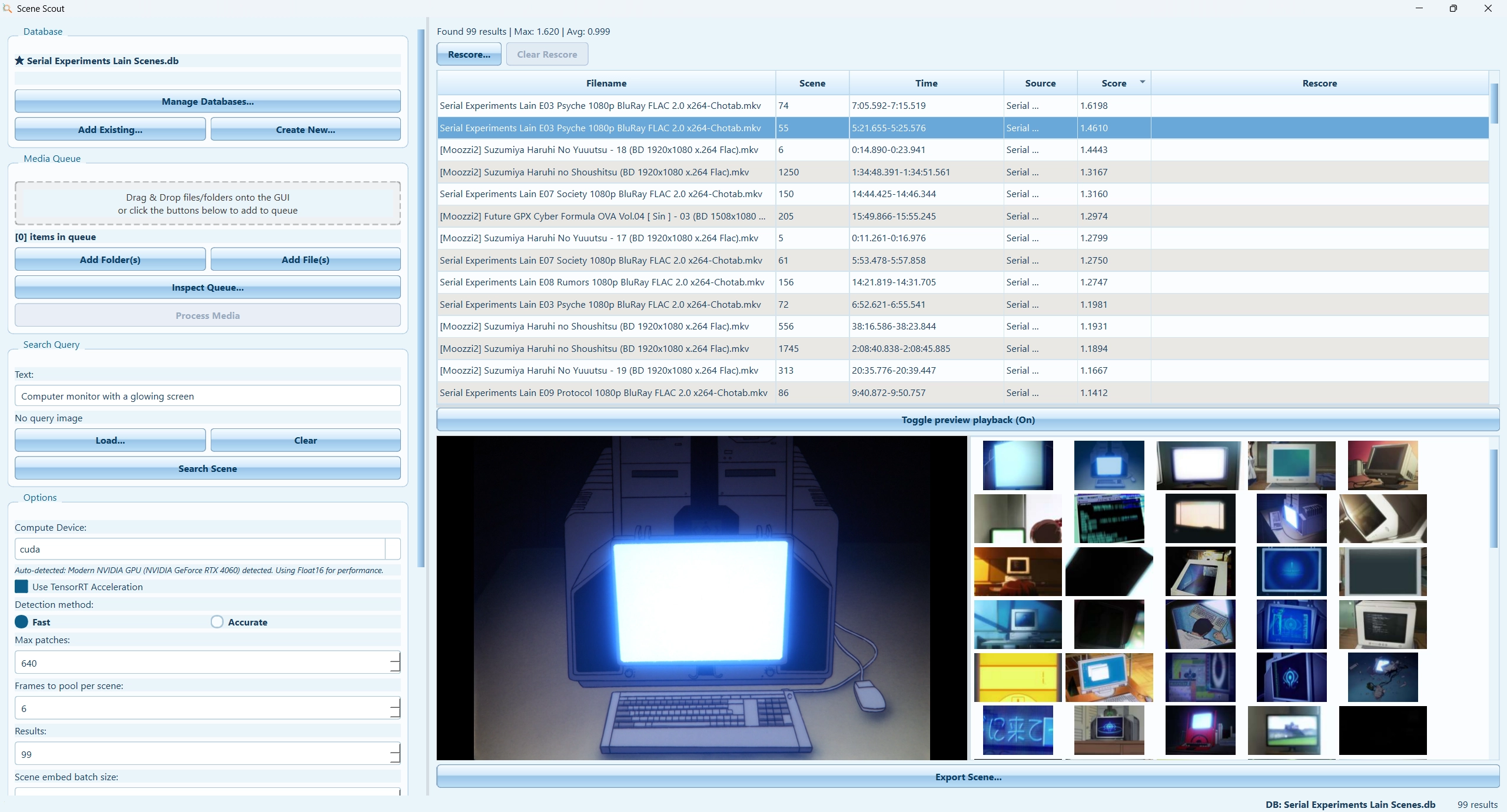
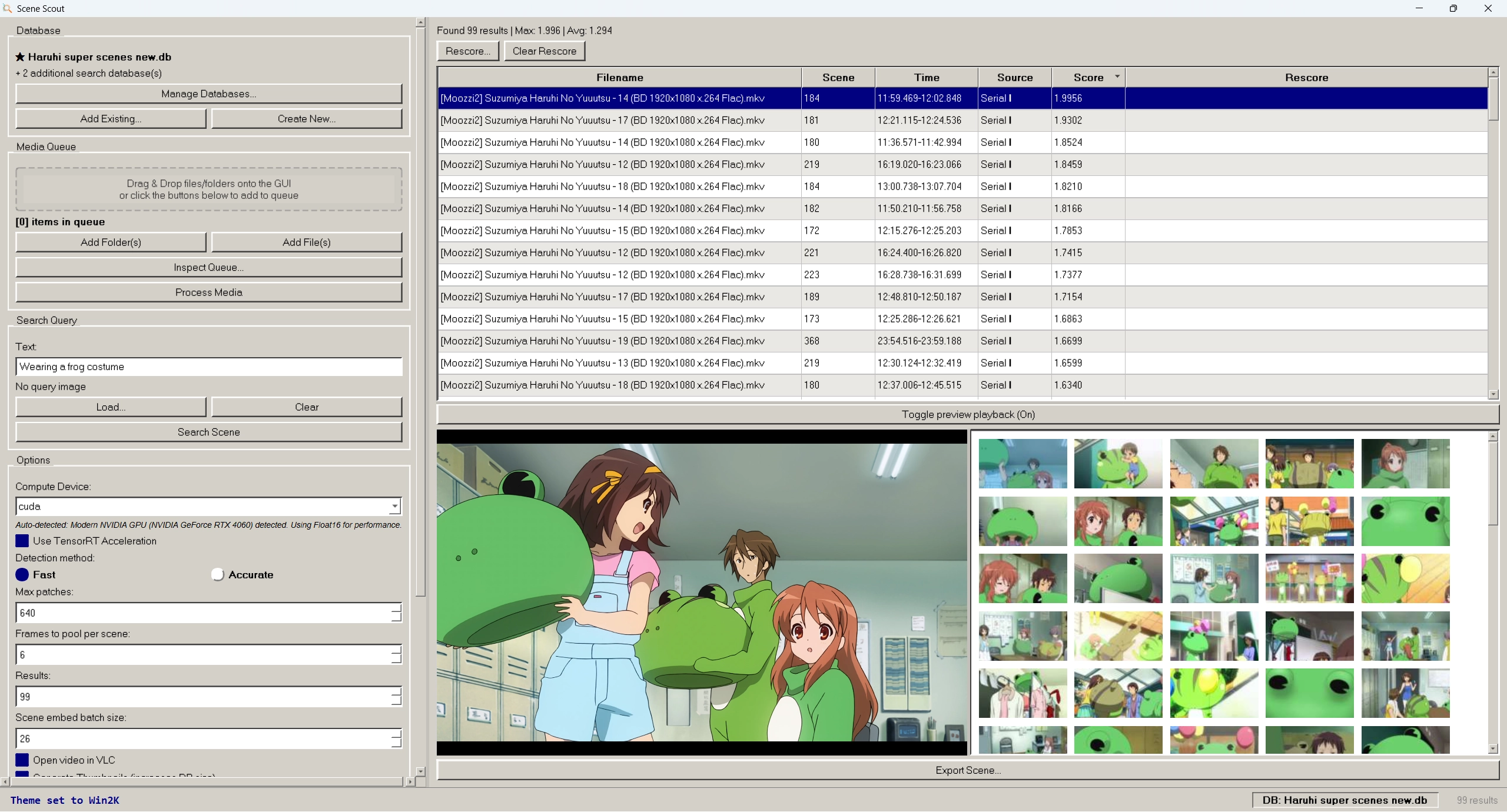
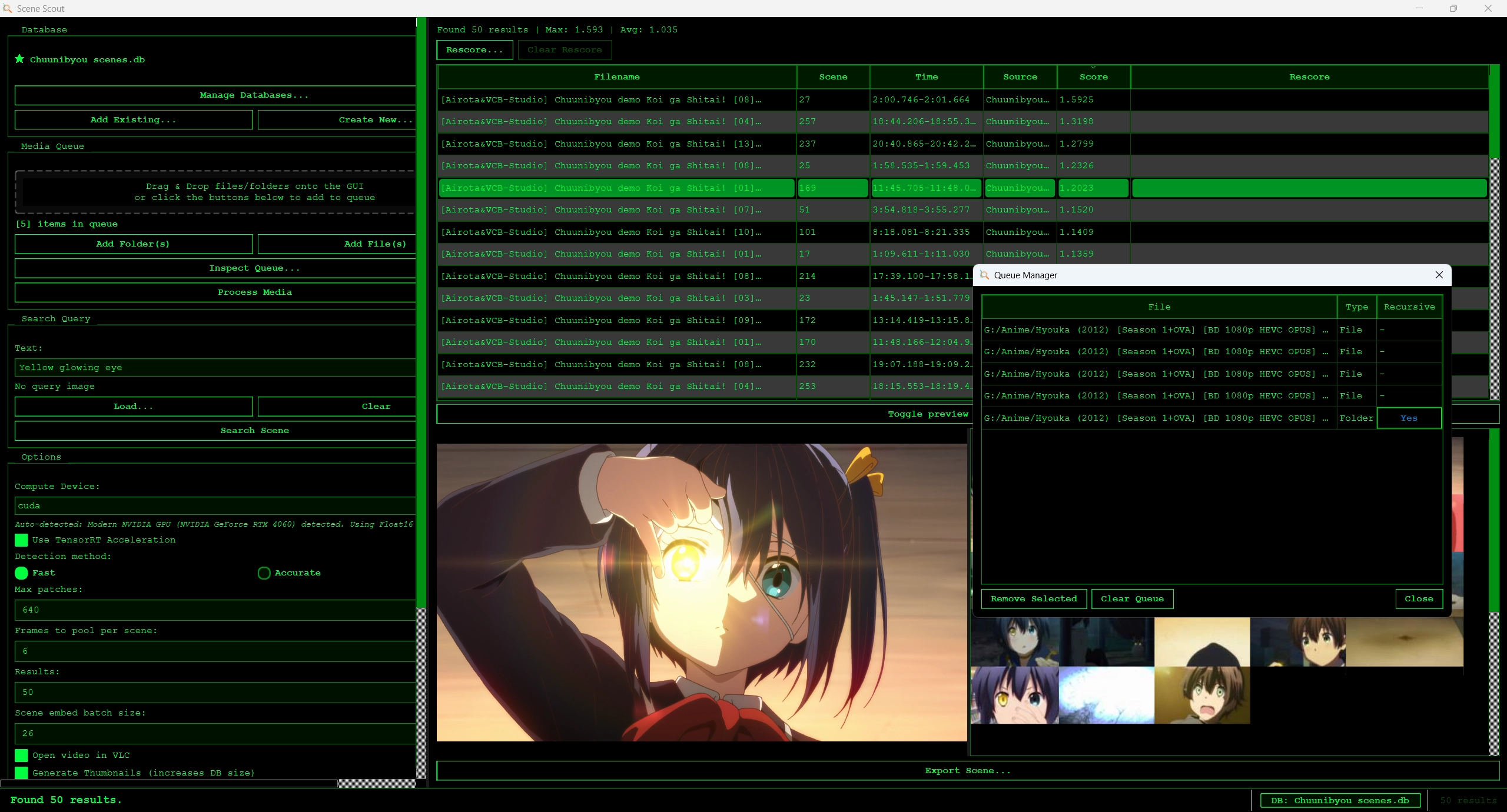
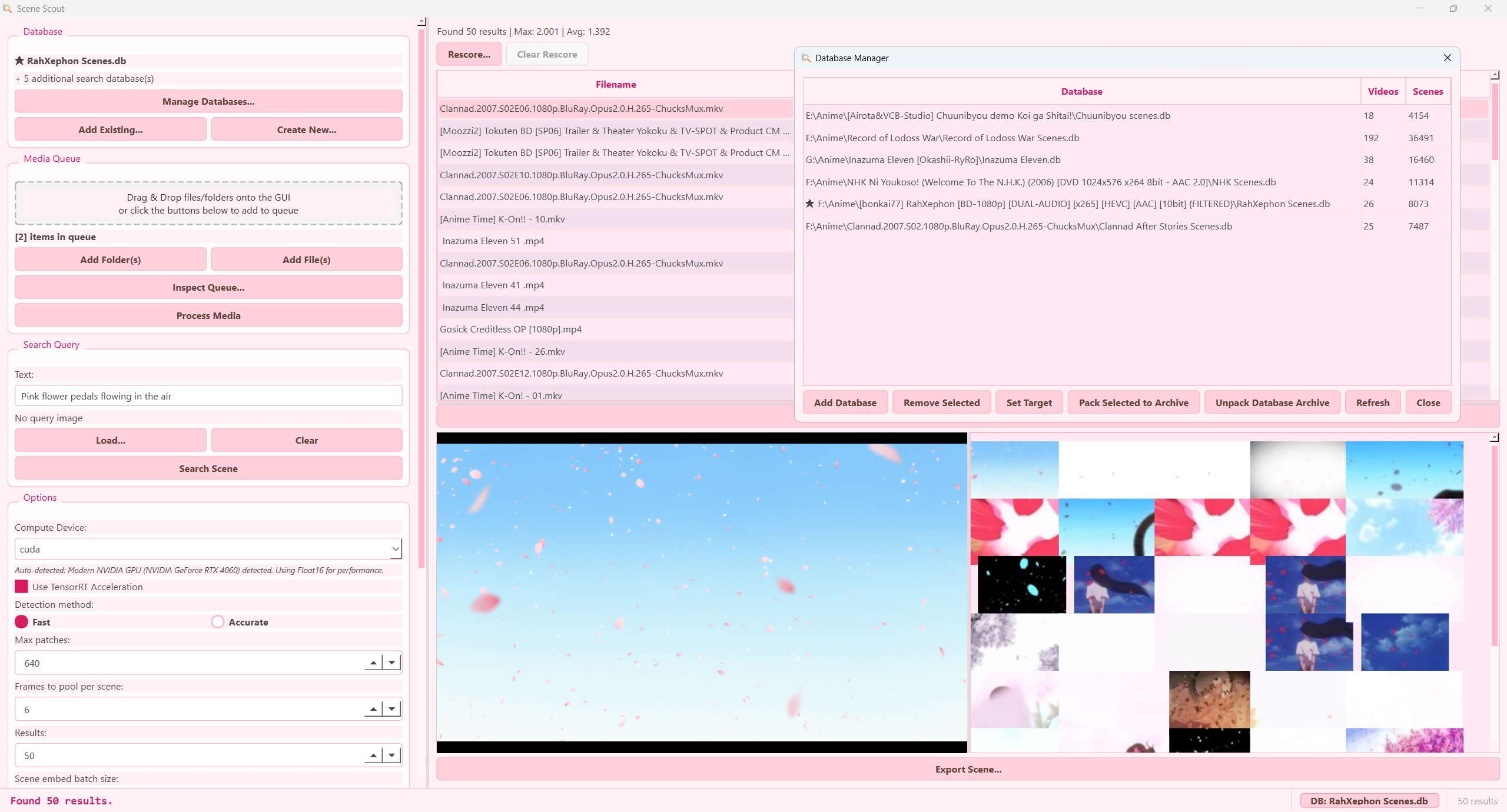
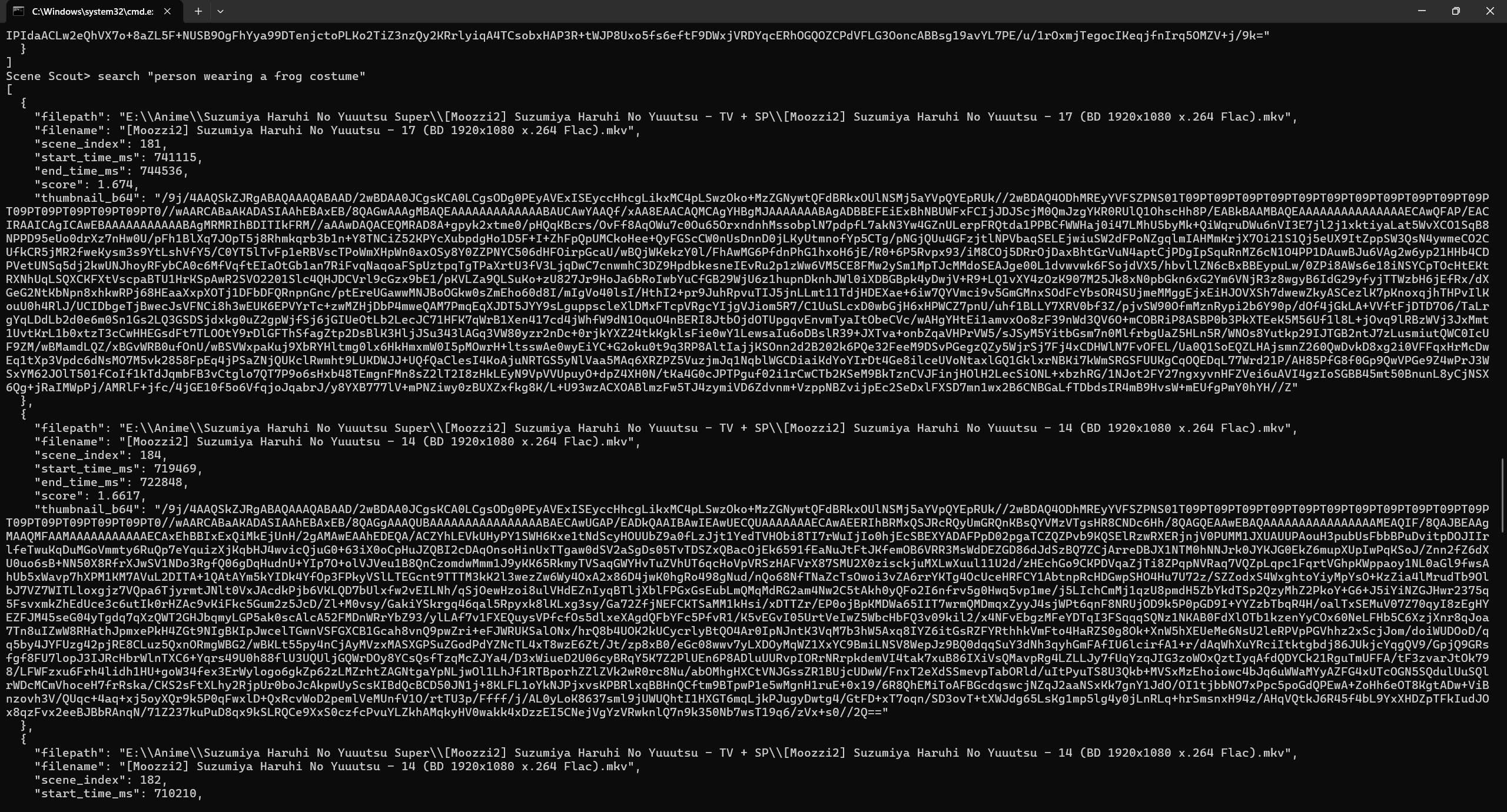
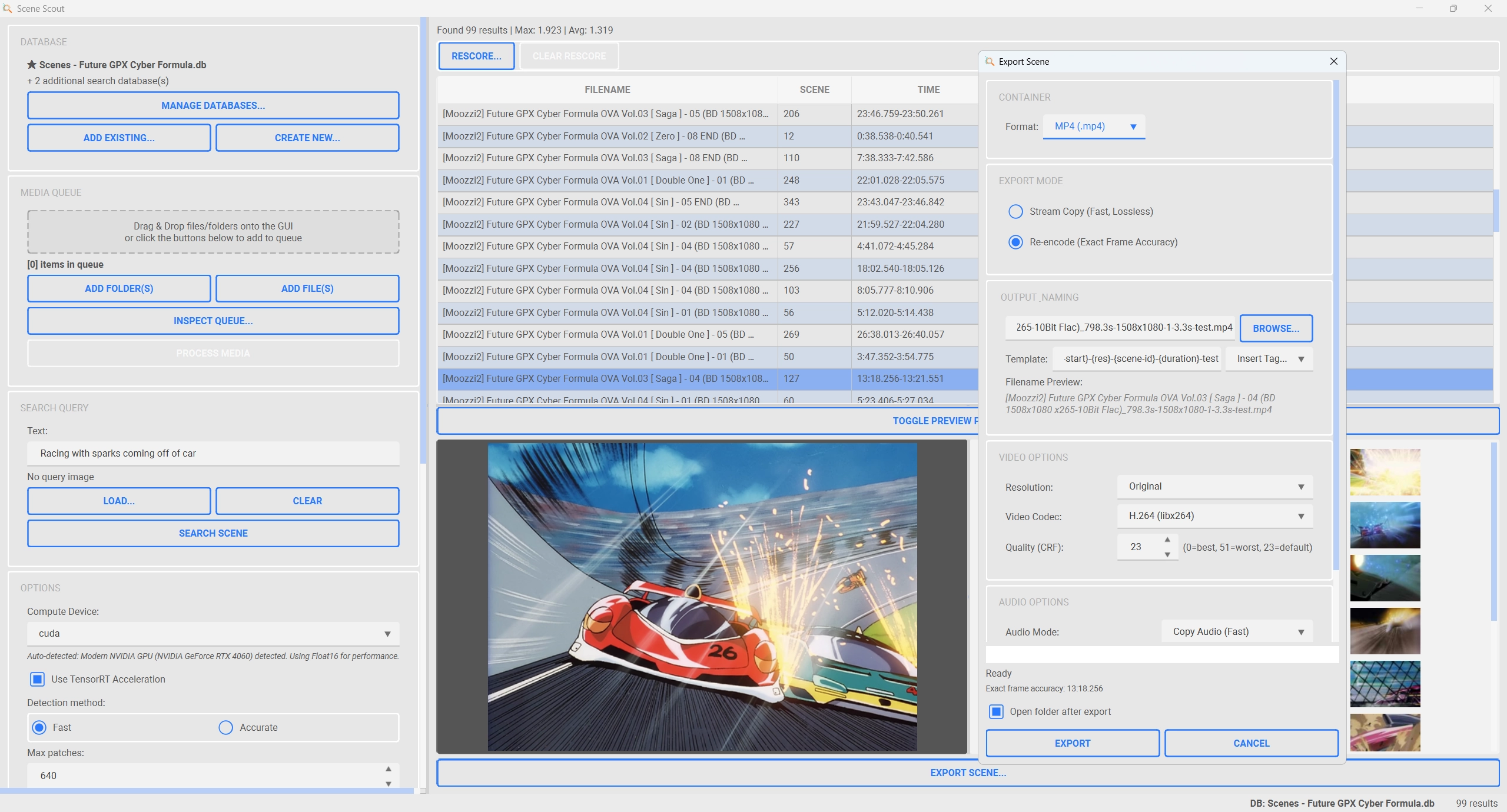
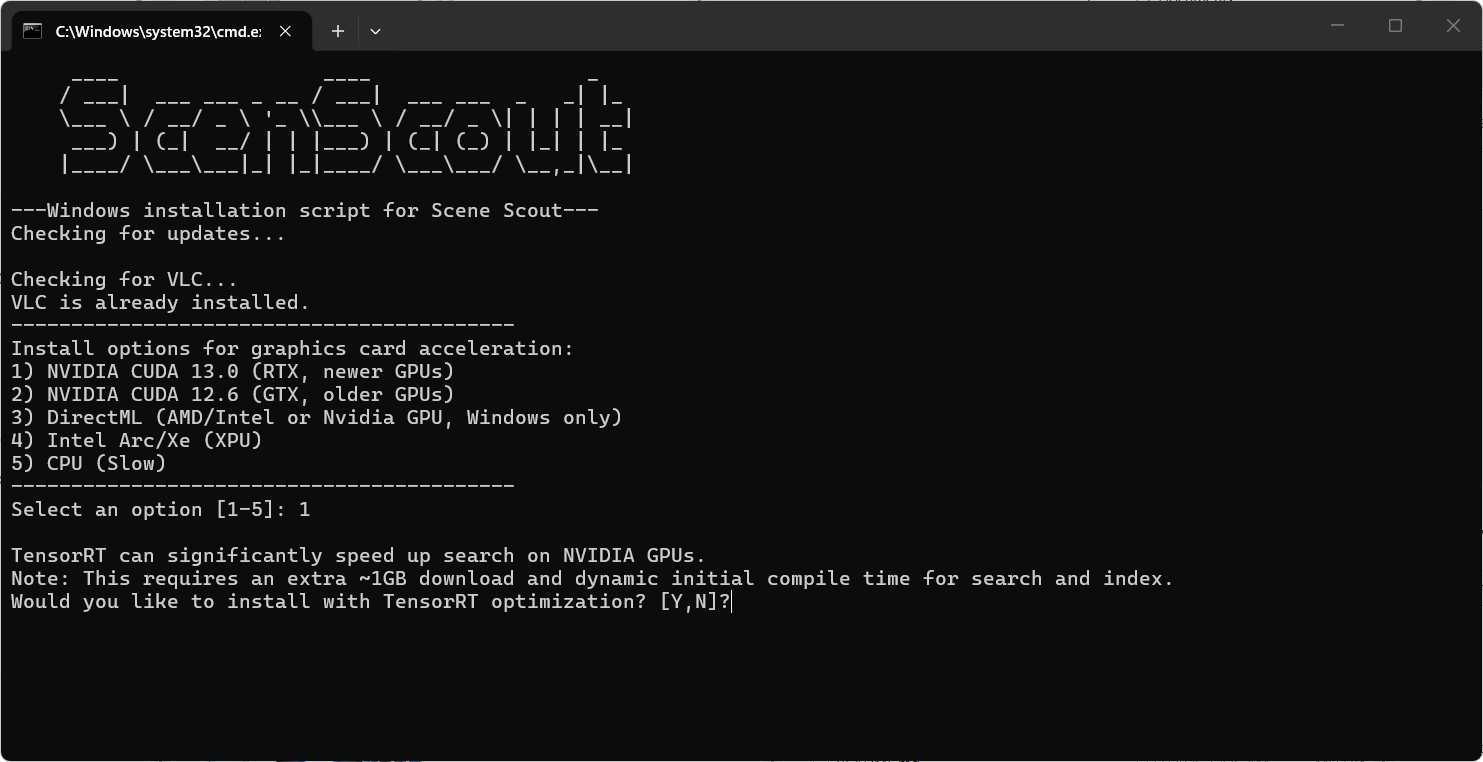
Automated installation scripts for the different platforms
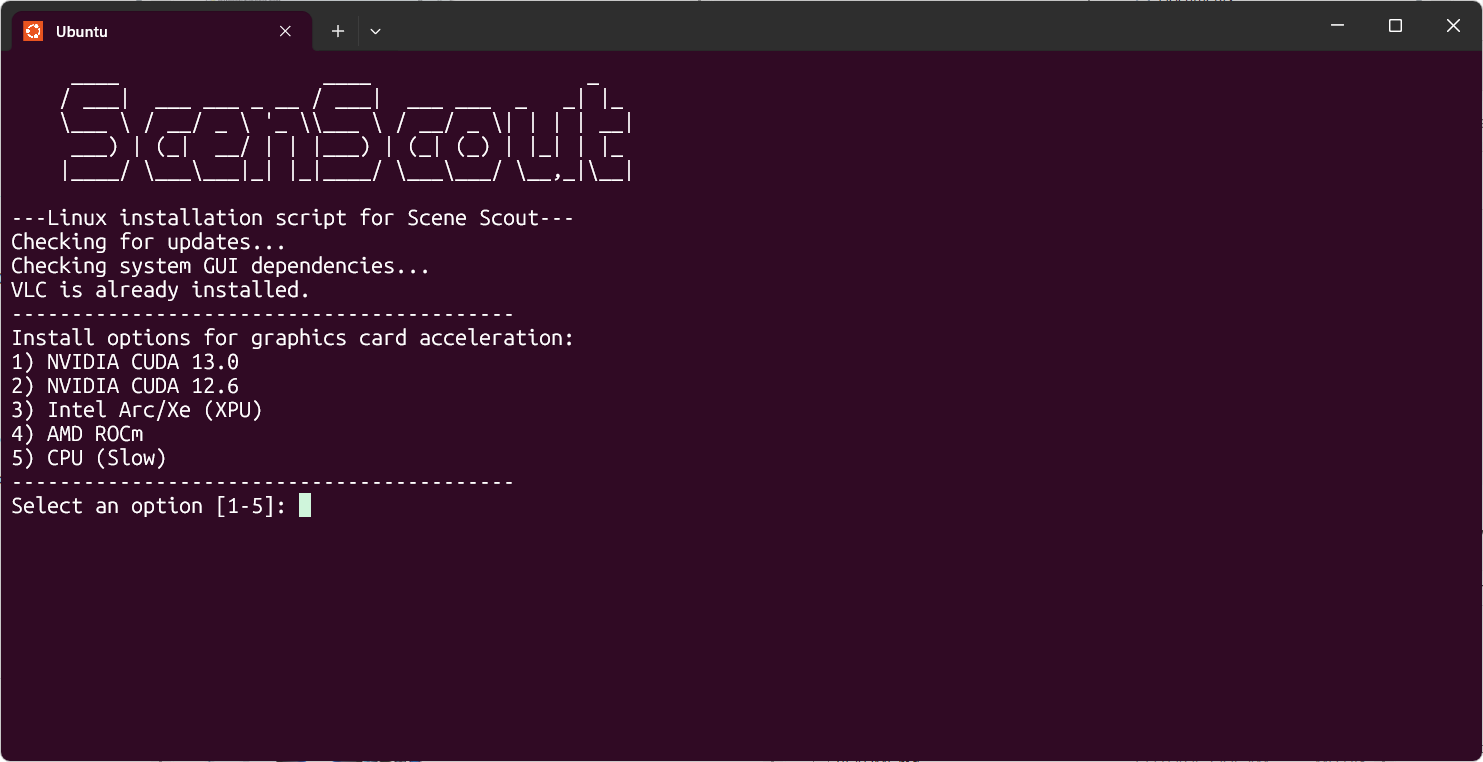
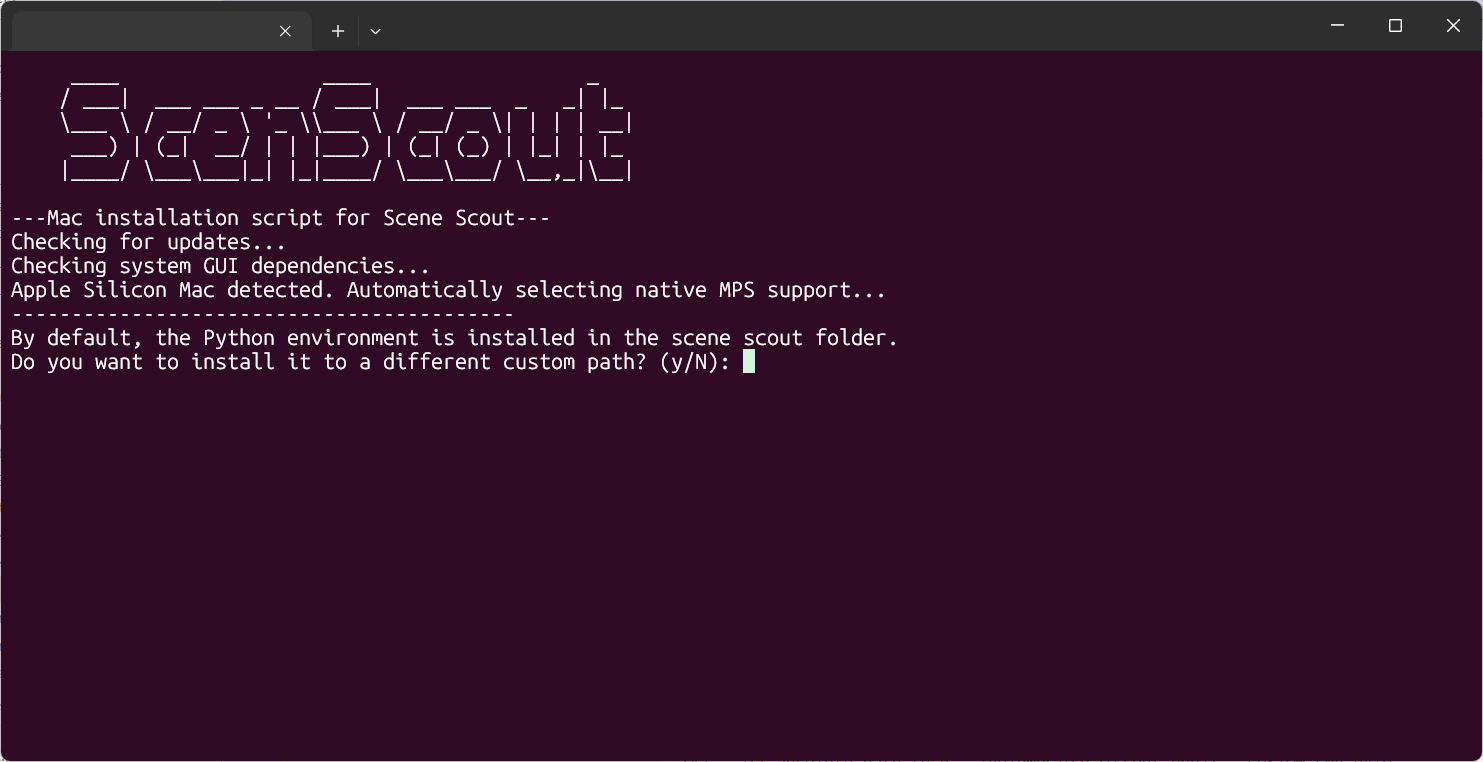
When opening the GUI, you can follow the next few steps to start searching for scenes
After installing with the install script, start Scene Scout using the GUI or CLI script. On first launch the vision model downloads automatically.
Create a new database via Database → Create New or drag and drop a database file onto the GUI.
You can add multiple files and/or folder to the queue to be processed. To get an overview of the current queue click on the Inspect Queue button.
Click Process Media Folder to extract scenes and build embeddings for all the files in the queue. This may take a while depending on your collection size, hardware and selected option during installation. Only new or modified files are processed on subsequent runs.
Enter a text description in the search field, load a reference image, or combine both for a multimodal query. Press Enter or click Search Scene. This can be performed for one or multiple loaded databases at once.
Scroll through ranked results with similarity scores. Click on any result to play the scene directly in the built-in video viewer.
If you have found just the right scene. Then you can export it to a seperate file by clicking on the Export Scene button.
Get up and running in three simple steps
Get the latest release from GitHub or clone the repository
Run the install script to set up UV, Python, VLC, and dependencies
Start Scene Scout GUI and begin searching your video collection
During installation you can choose the acceleration method that matches your hardware. Select the option below that applies to your system.
Recommended for all NVIDIA graphics cards. Best overall performance and compatibility.
Maximum inference speed with additional NVIDIA-only optimization.
GPU acceleration for AMD Radeon and Intel integrated graphics on Windows systems.
Dedicated acceleration option for Intel Arc and Xe graphics cards.
GPU acceleration for AMD graphics cards on Linux systems. Not available on Windows.
Accelerated processing on M1/M2/M3 Macs. Select the CPU option during install for MPS support.
Universal fallback that works on any hardware. Slower than GPU options but requires no special setup.
Running into issues or have a question?
If you run into problems, encounter bugs, or want to request a feature (pull requests welcome), please create an issue on the GitHub repository. Check existing issues first to avoid duplicates.
Open an Issue on GitHub